
What Is RDP? A Complete Guide to Remote Desktop Protocol for Modern Businesses
Remote work has become a standard part of business operations. Whether you are managing employees across different locations, accessing office files while traveling, or maintaining servers remotely, having secure remote access is essential. This is where Remote Desktop Protocol (RDP) comes in.
RDP is one of the most widely used technologies for remote access because it allows users to control a computer from another location as if they were sitting right in front of it. Businesses, freelancers, developers, designers, IT professionals, and customer support teams rely on RDP every day to improve productivity and reduce operational costs.
In this guide, you'll learn everything you need to know about Remote Desktop Protocol, including how it works, its benefits, use cases, security best practices, and why choosing a reliable RDP provider can make a significant difference.
What Is RDP?
Remote Desktop Protocol (RDP) is a communication protocol developed by Microsoft that enables users to connect to another computer over a network or the internet. Once connected, users can view and control the remote computer's desktop, applications, files, and settings just like they would on a local machine.
Instead of physically being present near the computer, users can securely log in from anywhere with an internet connection.
RDP is commonly used by:
- Businesses
- Remote employees
- Developers
- Digital marketers
- IT administrators
- Graphic designers
- Students
- Customer support teams
How Does RDP Work?
When you connect using Remote Desktop Protocol:
- The remote computer stays powered on.
- The RDP client sends encrypted login credentials.
- The server authenticates the user.
- A secure remote desktop session is established.
- Keyboard and mouse inputs are transmitted instantly.
- The remote computer processes the commands.
- The updated screen is streamed back to your device.
The result is a smooth remote computing experience that feels almost identical to working directly on the machine.
Why Businesses Use RDP
Businesses increasingly depend on remote work environments. RDP helps organizations maintain productivity while reducing infrastructure costs.
Major advantages include:
- Access office computers from anywhere
- Secure remote working
- Centralized data management
- Reduced hardware expenses
- Faster technical support
- Easy software maintenance
- Improved collaboration
- Better disaster recovery
Whether a company has five employees or five hundred, RDP provides flexibility and efficiency.
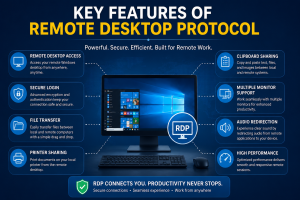
Key Features of Remote Desktop Protocol
1. Remote Desktop Access
Users can control a remote Windows desktop from laptops, desktops, tablets, or mobile devices.
2. Secure Login
Modern RDP implementations support encrypted communication and secure authentication to protect sensitive information.
3. File Transfer
Users can move files between local and remote computers without relying on third-party services.
4. Printer Sharing
Documents can be printed directly from the remote computer to a local printer.
5. Clipboard Sharing
Copy and paste text, documents, and images seamlessly between devices.
6. Multiple Monitor Support
Professionals can work across multiple screens for increased productivity.
7. Audio Redirection
Applications running remotely can play sound through the local device.
8. High Performance
Modern RDP technology is optimized to provide responsive performance even over moderate internet connections.
Common Uses of RDP
Remote Office Work
Employees securely access office desktops from home without carrying company computers.
IT Administration
System administrators manage servers, install updates, troubleshoot issues, and monitor systems remotely.
Software Development
Developers use remote machines for coding, testing applications, and maintaining development environments.
Customer Support
Technical support teams solve customer issues without visiting the client's location.
Digital Marketing
Marketing professionals run campaigns, manage websites, analyze data, and access specialized software remotely.
Education
Students and teachers connect to powerful computers for programming, research, and online learning.
Graphic Design
Designers access high-performance workstations remotely for resource-intensive projects.
Advantages of Using RDP
Work From Anywhere
One of the biggest benefits is location independence. Whether you're at home, traveling, or working from another city, your office computer remains accessible.
Increased Productivity
Employees continue working without interruptions because they always have access to company resources.
Cost Savings
Organizations reduce hardware investments since employees can remotely access centralized systems.
Better Security
Instead of storing important data on multiple devices, businesses keep everything on secured central servers.
Easier IT Management
Software installations, maintenance, updates, and troubleshooting become simpler when administrators can remotely manage systems.
Business Continuity
Natural disasters, office closures, or travel restrictions become less disruptive when employees can work remotely.
Is RDP Safe?
Yes—when configured correctly.
Like any internet-based service, RDP requires proper security measures.
Recommended security practices include:
- Use strong passwords.
- Enable Multi-Factor Authentication (MFA).
- Keep Windows updated.
- Restrict access with firewalls.
- Change the default RDP port when appropriate.
- Use VPN connections where possible.
- Monitor login attempts.
- Disable unused accounts.
Following these best practices significantly improves security.
RDP vs VPN
Many people confuse RDP and VPN, but they serve different purposes.
| RDP | VPN |
|---|---|
| Controls an entire remote computer | Creates a secure private network connection |
| Access desktop and applications | Access internal company network |
| Ideal for remote work | Ideal for secure network access |
| Interactive desktop experience | No desktop interface |
Many organizations use both together for additional security.
Who Should Use RDP?
Remote Desktop Protocol is suitable for:
- Small businesses
- Large enterprises
- Freelancers
- Web developers
- Software engineers
- Digital marketers
- Designers
- IT professionals
- Educational institutions
- Healthcare organizations
- Financial services
- Customer support centers
Its flexibility makes it useful across almost every industry.
Choosing the Right RDP Provider
Not all RDP services are the same. Before selecting a provider, consider the following factors:
Performance
Choose servers with fast SSD storage and reliable hardware.
Network Speed
Low latency and high-speed connectivity improve the remote working experience.
Security
Look for providers that offer secure authentication, regular updates, and reliable infrastructure.
Uptime
A dependable provider should offer excellent uptime so your work isn't interrupted.
Customer Support
Technical support should be available whenever assistance is needed.
Scalability
The provider should allow easy upgrades as your business grows.
Best Practices for Using RDP
To maximize productivity and security:
- Keep your operating system updated.
- Avoid sharing login credentials.
- Regularly back up important files.
- Monitor remote sessions.
- Disconnect inactive users.
- Use antivirus software.
- Enable account lockout policies.
- Limit administrator access.
These simple practices help maintain a secure and efficient remote environment.
Future of Remote Desktop Technology
Remote work is expected to continue growing across industries. Advances in cloud computing, artificial intelligence, faster internet speeds, and cybersecurity are making remote desktop solutions more powerful than ever.
Businesses increasingly rely on remote infrastructure to improve flexibility, reduce costs, and support distributed teams. Future RDP solutions will likely offer even better performance, stronger security, lower latency, and enhanced collaboration features.
As organizations continue their digital transformation, Remote Desktop Protocol will remain a key technology for secure and efficient remote access.
Conclusion
Remote Desktop Protocol has transformed the way businesses and individuals work. It provides secure access to remote computers, supports flexible work environments, simplifies IT management, and improves overall productivity.
Whether you're managing a business, working remotely, developing software, or providing technical support, RDP offers a reliable solution for accessing your systems from virtually anywhere.
By choosing a trusted RDP provider and following recommended security practices, you can enjoy a smooth, secure, and efficient remote working experience while keeping your data protected.
Remote work is no longer just a trend—it's an essential part of modern business, and RDP continues to be one of the most dependable technologies enabling that transformation.