


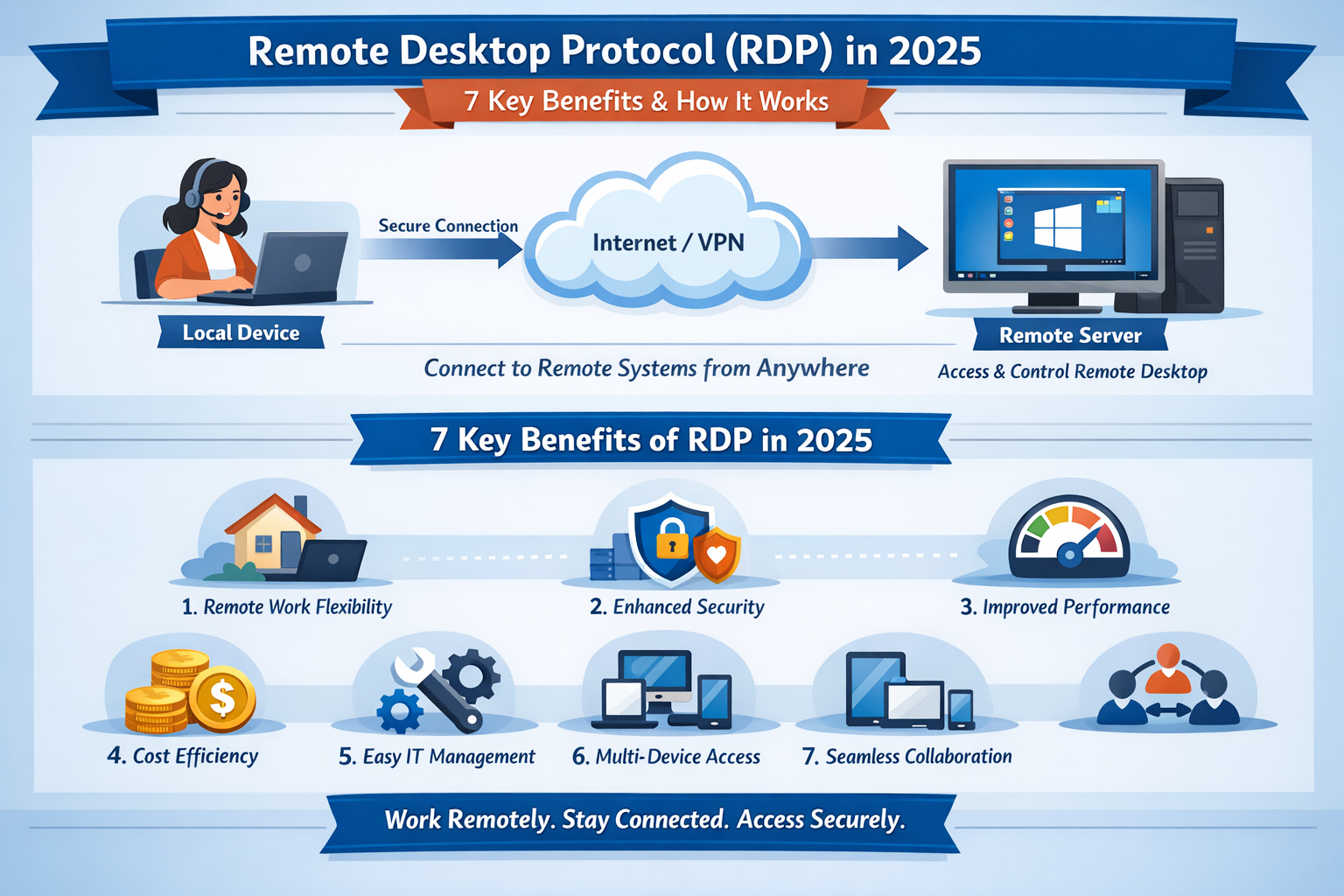
Remote Desktop Protocol (RDP): 7 Key Benefits & How It Works in 2025
Remote Desktop Protocol (RDP) is a Microsoft-developed technology that allows users to remotely access and control a Windows computer or server over the internet. With Remote Desktop Protocol, you can use applications, manage files, and operate a Windows system as if you were physically sitting in front of it.
Remote Desktop Protocol is widely used for Windows RDP servers, remote work, cloud computing, and business automation.
Table of Contents
- What Is Remote Desktop Protocol (RDP)?
- How Remote Desktop Protocol Works
- Benefits of Remote Desktop Protocol
- Remote Desktop Protocol Use Cases
- Why Buy a Remote Desktop Protocol Server from GoRDP?
- Remote Desktop Protocol vs Other Remote Access Tools
- Is Remote Desktop Protocol Secure?
- Frequently Asked Questions
What Is Remote Desktop Protocol (RDP)?
Remote Desktop Protocol is a secure network protocol developed by Microsoft that enables remote access to Windows-based computers and servers. It transmits keyboard input, mouse movements, and screen visuals between devices using an encrypted connection.
Remote Desktop Protocol is built directly into Windows, making it the most reliable and efficient remote access solution for Windows systems.
How Remote Desktop Protocol Works
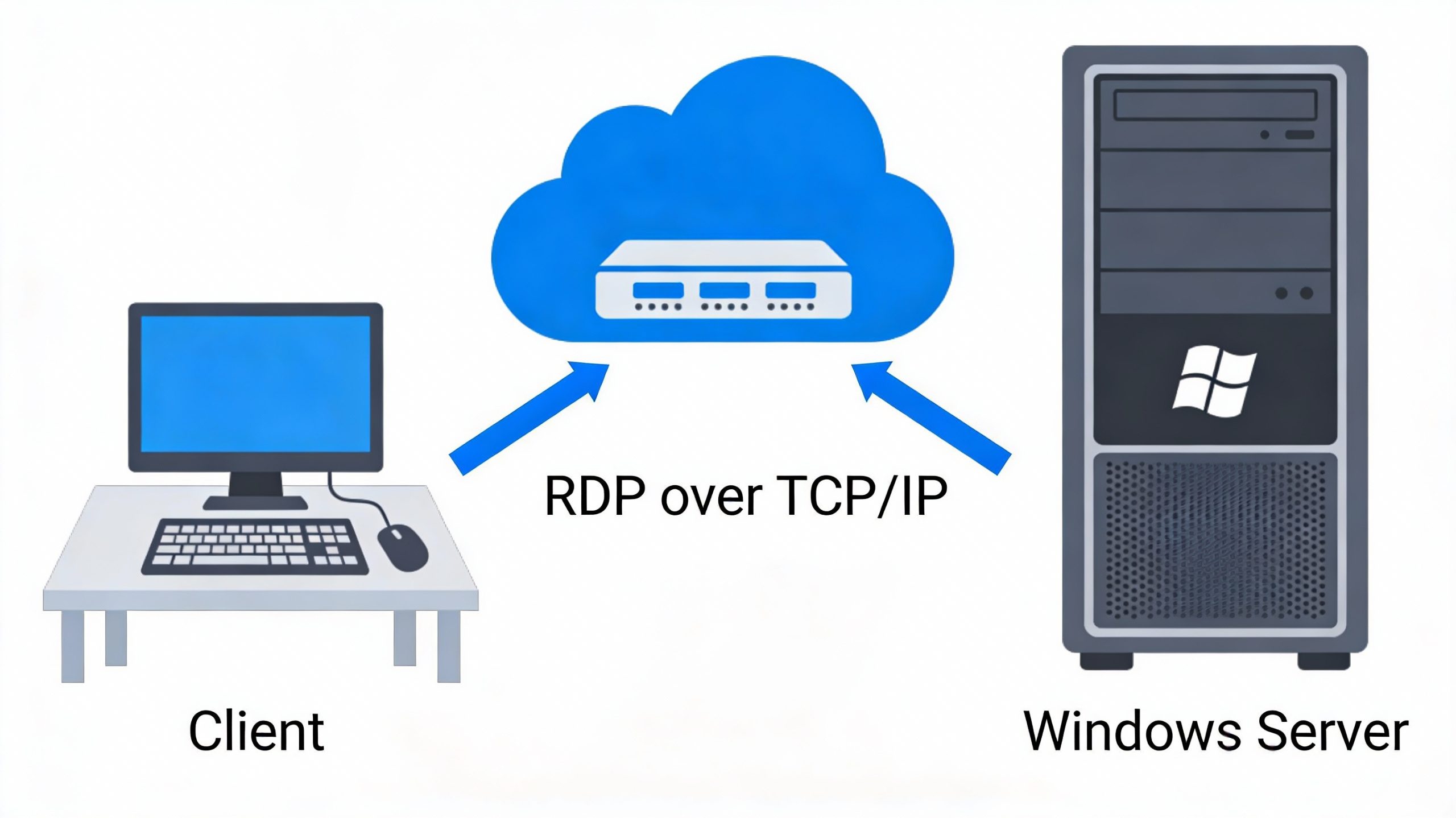
Remote Desktop Protocol works on a client–server model:
- The RDP client (your local device) sends input commands
- The RDP server (remote Windows machine) processes them
- The server sends back the display output in real time
By default, Remote Desktop Protocol uses TCP port 3389 and supports strong encryption and authentication mechanisms.
Benefits of Remote Desktop Protocol
Remote Desktop Protocol offers several key advantages:
- Full Windows desktop access from anywhere
- Encrypted and secure remote connections
- High-speed performance with low latency
- Multi-session support on Windows Server
- File transfer, clipboard, and printer redirection
These benefits make Remote Desktop Protocol ideal for business users, developers, and remote teams.
Remote Desktop Protocol Use Cases
Remote Work & Business Operations
Employees can securely access office systems using Remote Desktop Protocol servers from anywhere in the world.
Windows VPS & Cloud Hosting
Remote Desktop Protocol is commonly used with Windows VPS and RDP hosting solutions to run applications 24/7.
Development & Automation
Developers rely on Remote Desktop Protocol to test software, run automation tasks, and manage cloud-based systems.
Online Software & Continuous Tasks
Many users buy cheap RDP servers to keep software running continuously without using personal hardware.
How Remote Desktop Protocol Helps Online Businesses
Remote Desktop Protocol helps online businesses reduce hardware costs, improve productivity, and ensure 24/7 availability. With a Remote Desktop Protocol server, businesses can automate workflows, manage Windows applications remotely, and scale operations without investing in physical infrastructure.
This makes Remote Desktop Protocol servers ideal for startups, agencies, and digital entrepreneurs.
Buy Affordable Remote Desktop Protocol Servers from GoRDP
Looking for fast, secure, and affordable Remote Desktop Protocol servers?
GoRDP provides reliable Windows RDP solutions with instant access.
🔥 GoRDP RDP Server Features:
- ✔ Windows-based Remote Desktop Protocol
- ✔ High-speed SSD storage
- ✔ Global server locations
- ✔ 24/7 uptime and stability
- ✔ Secure and private access
👉 Buy Your Remote Desktop Protocol Server Today at https://gordp.com/
Remote Desktop Protocol vs Other Remote Access Tools
| Feature | Remote Desktop Protocol | VNC | TeamViewer |
|---|---|---|---|
| Built into Windows | ✅ | ❌ | ❌ |
| Performance | High | Medium | Medium |
| Cost | Free (Client) | Free | Paid |
| Best for Servers | ✅ | ❌ | ❌ |
Remote Desktop Protocol is the best choice for Windows server environments.
Is Remote Desktop Protocol Secure?
Yes, Remote Desktop Protocol is secure when configured correctly. Security best practices include:
- Using strong passwords
- Enabling Network Level Authentication (NLA)
- Restricting access via firewall rules
- Keeping Windows updated
GoRDP ensures optimized and secure Remote Desktop Protocol configurations for all servers.
Frequently Asked Questions (FAQ)
What is Remote Desktop Protocol used for?
Remote Desktop Protocol is used to remotely access and control Windows computers and servers over the internet.
Is Remote Desktop Protocol free?
Remote Desktop Protocol is built into Windows, but Remote Desktop Protocol servers or hosting services may have a cost.
What port does Remote Desktop Protocol use?
By default, Remote Desktop Protocol uses TCP port 3389.
Can I buy a Remote Desktop Protocol server online?
Yes, providers like GoRDP offer instant and affordable Remote Desktop Protocol servers.