


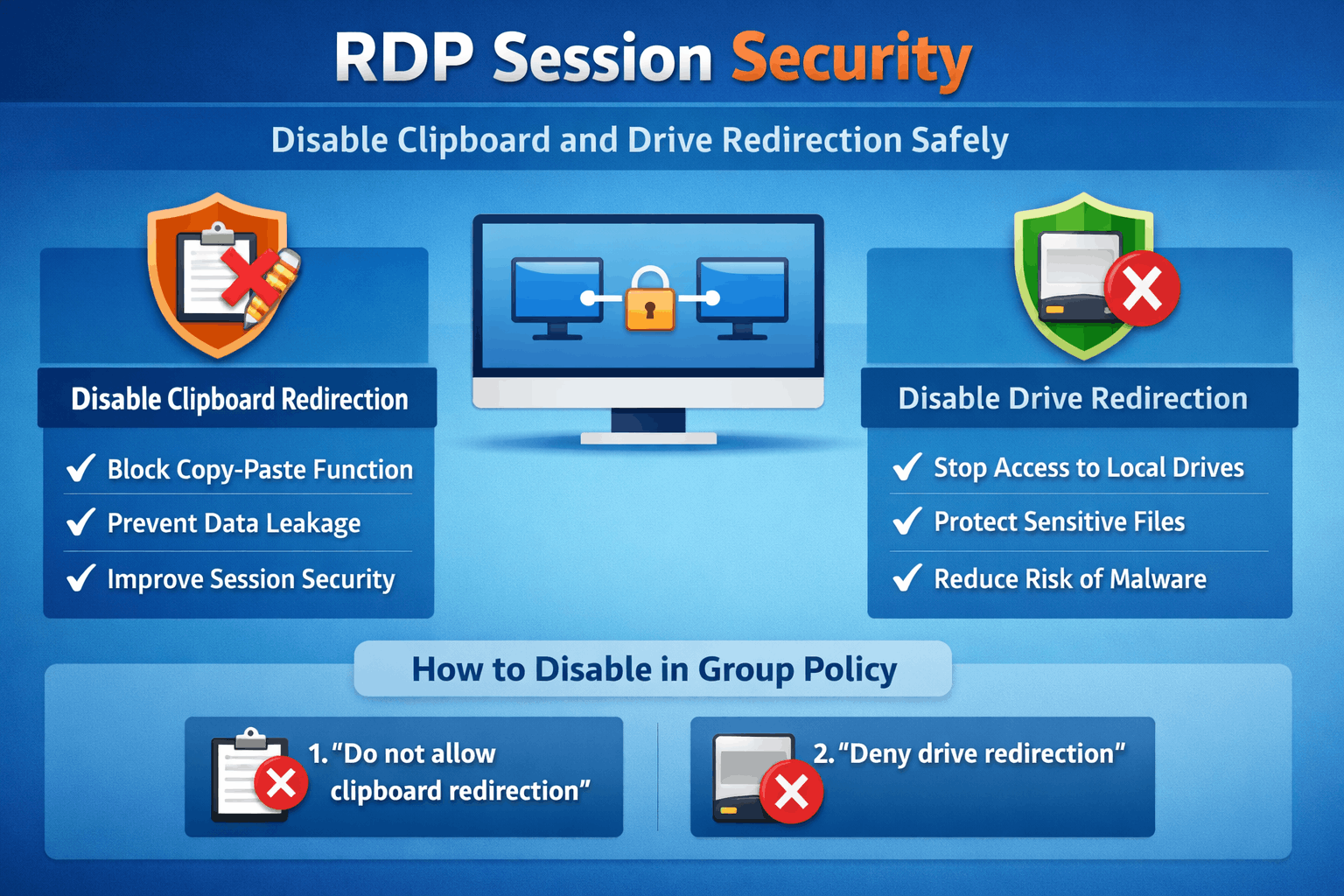
RDP session security: why clipboard and drive redirection are risky
RDP session security is only as strong as the paths data can use to leave your servers. Clipboard, drive, and device redirection are convenient, but they quietly create high‑risk channels between the remote server and the user’s local machine.learn.microsoft+1
When clipboard redirection is enabled, users can copy sensitive text or files out of a secure environment with a simple paste operation. Drive redirection goes further by exposing local disks inside the RDP session, making it easy to drag and drop data between networks that should remain separated.woshub+1
How disabling redirection improves RDP session security
Disabling clipboard redirection immediately blocks copy/paste between the local device and the remote session, closing one of the most common data‑exfiltration routes. Turning off drive redirection prevents remote sessions from seeing local disks, which sharply limits how easily files can move in or out of critical servers.learn.microsoft+1
These changes strengthen RDP session security without affecting the underlying applications or user authentication flow. In regulated industries such as finance, healthcare, and government, reducing these data paths also helps align with compliance expectations around minimising uncontrolled data transfer.
Configure clipboard redirection with Group Policy
The safest way to enforce RDP session security is to use Group Policy on the computers that provide the remote sessions. Microsoft documents clipboard control under this path: Computer Configuration → Policies → Administrative Templates → Windows Components → Remote Desktop Services → Remote Desktop Session Host → Device and Resource Redirection.
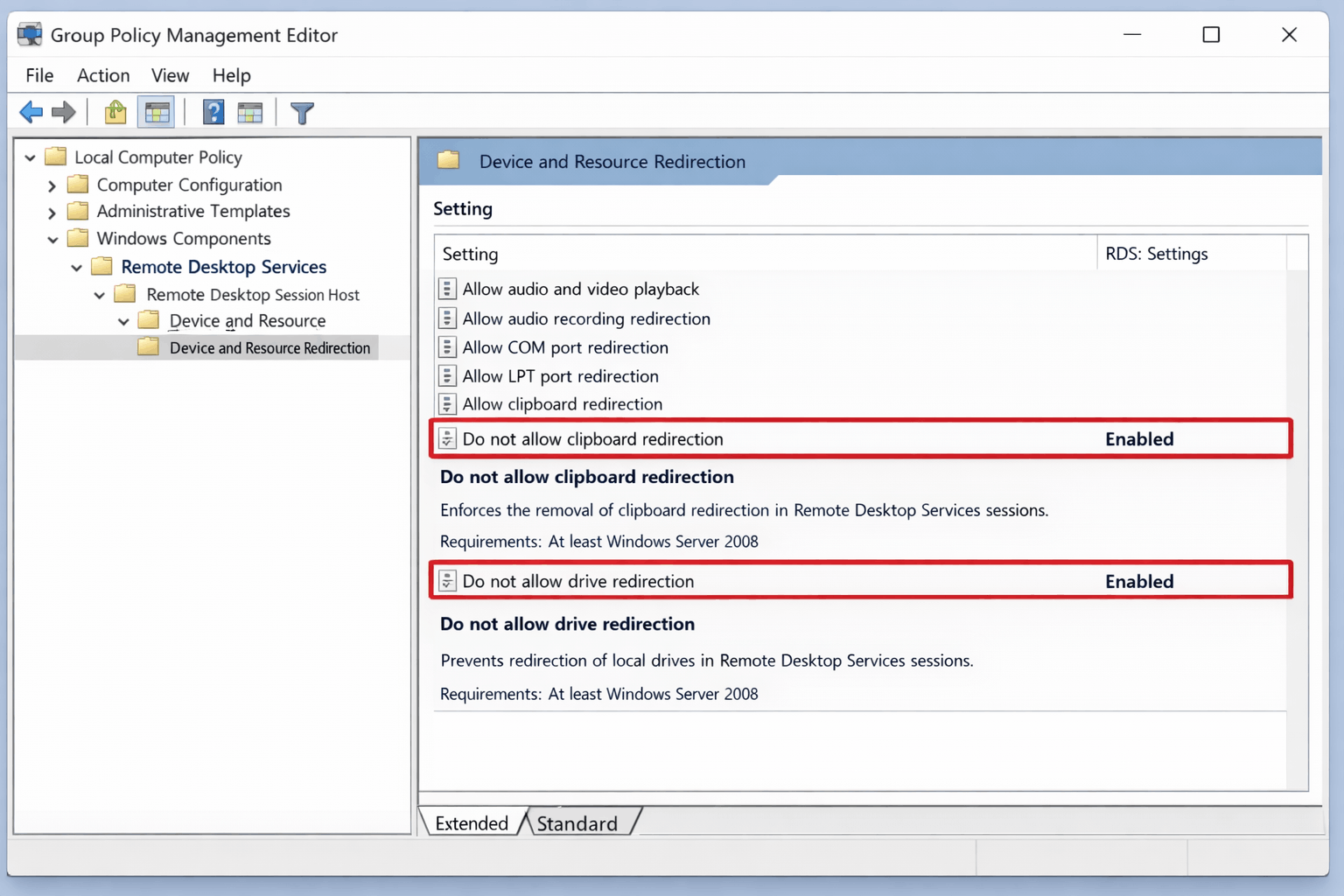
To disable clipboard redirection, open the policy “Do not allow Clipboard redirection” and set it to Enabled, then apply the GPO to your session hosts and restart them if required. This forces all RDP sessions on those servers to block clipboard sharing, regardless of how the user configures the RDP client.
Buy Cheap Netherlands VPS – $20.00/m
Disable drive and device redirection on the host
For stronger RDP session security, extend the same approach to drive and device redirection. Use Group Policy under the same Device and Resource Redirection node to enable “Do not allow drive redirection”, which stops RDP from mapping local disks into the server session.
On some Windows Server builds, enabling these policies also creates registry values such as fDisableClip and fDisableCdm under HKEY_LOCAL_MACHINE\SOFTWARE\Policies\Microsoft\Windows NT\Terminal Services to reflect the blocked clipboard and drive features. Administrators who prefer registry‑based hardening can also configure DisableClipboardRedirection=1 and DisableDriveRedirection=1 under HKEY_LOCAL_MACHINE\Software\Microsoft\Terminal Server to enforce the same behaviour.
Extra hardening tips for RDP session security
Blocking redirection is powerful, but it should sit inside a broader RDP session security strategy. Combine these settings with strong passwords, Network Level Authentication (NLA), limited RDP exposure, and continuous monitoring of RDP access logs.
After rolling out new policies, test with a non‑admin account to confirm clipboard, drive, and device redirection are no longer available in the session. Document an approved method for moving data into and out of servers—such as a managed file transfer solution or dedicated jump host—so users do not attempt insecure workarounds.image.jpgwoshub+2
RDP Session Security: Disable Clipboard and Drive Redirection Safely (FAQ)
What is RDP session security?
RDP session security is the collection of controls that protect Remote Desktop sessions, including authentication, encryption, and restrictions on features like clipboard and drive redirection.wafaicloud+1
Why should clipboard redirection be disabled?
Clipboard redirection should be disabled because it allows sensitive text and files to be copied from secure servers to untrusted endpoints with minimal oversight.wafaicloud+1
How do I disable clipboard redirection with Group Policy?
Go to Computer Configuration → Policies → Administrative Templates → Windows Components → Remote Desktop Services → Remote Desktop Session Host → Device and Resource Redirection, then enable “Do not allow Clipboard redirection.”
Can I block clipboard redirection only on certain devices?
Yes, you can set DisableClipboardRedirection=1 in HKEY_LOCAL_MACHINE\Software\Microsoft\Terminal Server Client on specific Windows devices to stop their clipboards from being redirected into RDP sessions.