
Learn the best WordPress Speed Optimization techniques to improve website speed, SEO, and user experience.
How to Speed Up a Slow WordPress Website (Complete Guide for Beginners)
A slow website is one of the quickest ways to lose visitors. People expect pages to load within a few seconds, and if your site takes too long, they may leave before reading your content. A slow WordPress website can also hurt your search engine rankings, reduce conversions, and create a poor user experience.
The good news is that you don’t need to be a developer to improve your website’s speed. With a few practical changes, you can significantly reduce loading time and improve your site’s overall performance.
In this beginner-friendly guide, you’ll learn the most effective ways to speed up a slow WordPress website step by step. WordPress Speed Optimization helps improve website speed, user experience, and search engine rankings.
Why Do WordPress Websites Become Slow?
WordPress itself is a fast content management system. In most cases, performance issues are caused by poor optimization rather than WordPress.
Common reasons include:
- Low-quality hosting
- Large, unoptimized images
- Too many plugins
- Heavy WordPress themes
- Unoptimized databases
- Excessive external scripts
- No caching
- Outdated WordPress, themes, or plugins
Finding these issues early makes optimization much easier.
Test Your Website Speed First
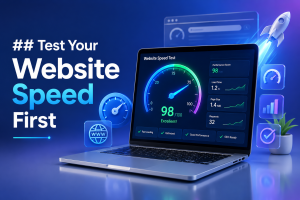
Before making changes, check your website’s current performance.
Popular speed testing tools include:
- Google PageSpeed Insights
- GTmetrix
- Pingdom Website Speed Test
Pay attention to:
- Page load time
- Largest Contentful Paint (LCP)
- First Contentful Paint (FCP)
- Cumulative Layout Shift (CLS)
- Total Blocking Time (TBT)
These reports help identify what is slowing your website.
Choose Fast and Reliable Hosting
Your hosting provider has the biggest impact on website performance.
If you’re using cheap shared hosting with limited resources, your website may remain slow regardless of optimization.
Look for hosting that offers:
- SSD or NVMe storage
- Latest PHP version
- Built-in caching
- HTTP/2 or HTTP/3 support
- High uptime
- Good server response time
For growing websites, managed WordPress hosting is often worth the investment because it includes performance optimizations and automatic maintenance. Fast hosting is the foundation of successful WordPress Speed Optimization because server performance directly affects loading time. Fast hosting is the foundation of WordPress Speed Optimization because server performance directly affects website speed.
Use a Lightweight WordPress Theme
A visually attractive theme isn’t always a fast one.
Many multipurpose themes include features you’ll never use, increasing page size and loading time.
Instead, choose lightweight themes that focus on speed, clean code, and responsive design.
When selecting a theme:
- Keep unnecessary animations to a minimum.
- Avoid excessive page builder effects.
- Choose a mobile-friendly design.
- Update the theme regularly.
A lightweight theme provides a solid foundation for better performance.
Enable Caching
Caching stores a ready-made version of your pages so visitors don’t have to wait while WordPress rebuilds them every time.
Benefits of caching include:
- Faster page loading
- Lower server usage
- Better user experience
- Improved scalability during traffic spikes
Most caching plugins allow page caching, browser caching, and object caching, making them one of the easiest ways to improve performance. Caching is one of the most effective WordPress Speed Optimization techniques for reducing page load times.
Optimize Images Before Uploading
Large images are one of the most common causes of slow websites.
Instead of uploading images directly from your camera or design software, optimize them first.
Best practices:
- Resize images to the required dimensions.
- Compress images without noticeable quality loss.
- Use modern formats like WebP.
- Enable lazy loading.
- Avoid uploading unnecessarily large files.
Smaller image files load faster while maintaining visual quality. Image optimization is an important part of WordPress Speed Optimization because it reduces page size and improves loading speed.
Remove Unnecessary Plugins
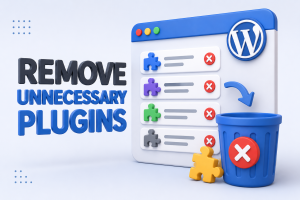
Installing too many plugins can affect website speed, especially if they load extra scripts or perform background tasks.
Regularly review your installed plugins.
Keep only those you actually use.
Remove:
- Inactive plugins
- Duplicate functionality
- Poorly coded plugins
- Outdated plugins
Fewer plugins usually mean better performance, improved security, and easier maintenance. Removing unused plugins is a simple WordPress Speed Optimization practice that improves website performance.
Optimize Your WordPress Database
Over time, your database collects unnecessary data such as:
- Post revisions
- Spam comments
- Trashed posts
- Expired transients
Cleaning the database reduces its size and improves query performance.
Database optimization should be performed periodically, especially on websites that publish content frequently.
Always create a backup before making database changes.
Use a Content Delivery Network (CDN)
A CDN stores copies of your website on servers located around the world.
When someone visits your website, content is delivered from the server closest to them.
Benefits include:
- Faster global loading times
- Reduced server load
- Improved website availability
- Better handling of traffic spikes
A CDN is especially useful if your visitors come from multiple countries. Using a CDN is another effective WordPress Speed Optimization strategy for improving website speed worldwide. A CDN is an effective WordPress Speed Optimization solution for improving loading speed across different locations.
Minify CSS, JavaScript, and HTML
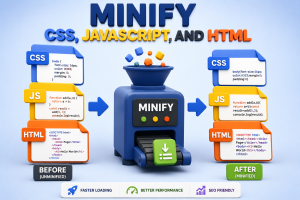
Website files often contain unnecessary spaces, comments, and formatting.
Minification removes this extra code without affecting functionality.
Benefits include:
- Smaller file sizes
- Faster downloads
- Improved page speed
Many optimization plugins can automatically minify CSS, JavaScript, and HTML with just a few settings.
Keep WordPress Updated
Running outdated software can negatively affect both performance and security.
Always keep updated:
- WordPress core
- Themes
- Plugins
- PHP version
Updates often include speed improvements, bug fixes, and compatibility enhancements.
Before updating, create a full backup to avoid unexpected issues. Regular updates are an essential part of WordPress Speed Optimization and help improve both performance and security. Keeping WordPress updated is an important part of WordPress Speed Optimization and helps improve both speed and security.
Reduce External Requests
Every external request adds loading time.
Common external resources include:
- Google Fonts
- Social media widgets
- Advertisement scripts
- Analytics tools
- Embedded videos
Reduce unnecessary third-party scripts and load only those that provide real value.
Embedding too many external services can significantly slow your website.
Enable GZIP or Brotli Compression
Compression reduces the size of website files before they’re sent to visitors.
The browser then decompresses the files automatically.
Benefits include:
- Faster downloads
- Lower bandwidth usage
- Better loading speed
Modern servers often support Brotli, which generally provides better compression than GZIP.
Improve Core Web Vitals
Core Web Vitals are Google’s user experience metrics that influence search rankings.
The three main metrics are:
Largest Contentful Paint (LCP)
Measures how quickly the main content loads.
Improve it by:
- Optimizing images
- Using better hosting
- Enabling caching
Interaction to Next Paint (INP)
Measures how responsive your website feels.
Improve it by:
- Reducing JavaScript
- Removing unnecessary plugins
- Optimizing scripts
Cumulative Layout Shift (CLS)
Measures visual stability.
Improve it by:
- Setting image dimensions
- Avoiding unexpected layout changes
- Loading fonts efficiently
Improving Core Web Vitals benefits both SEO and user experience.
Speed Optimization Checklist
Use this quick checklist:
- ✔ Test website speed
- ✔ Upgrade hosting if necessary
- ✔ Install a lightweight theme
- ✔ Enable caching
- ✔ Compress and resize images
- ✔ Remove unused plugins
- ✔ Optimize the database
- ✔ Use a CDN
- ✔ Minify CSS, JavaScript, and HTML
- ✔ Update WordPress regularly
- ✔ Reduce external requests
- ✔ Enable GZIP or Brotli compression
- ✔ Monitor Core Web Vitals regularly
Common Mistakes to Avoid
Avoid these common beginner mistakes:
- Installing multiple caching plugins simultaneously
- Uploading original high-resolution images
- Ignoring website backups before optimization
- Using too many page builder animations
- Installing plugins without checking performance impact
- Choosing hosting based only on the lowest price
- Forgetting to monitor speed after updates
Small mistakes can gradually slow your website again.
Frequently Asked Questions
1. What is the ideal website loading speed?
Aim for under 3 seconds, though faster is always better for user experience and SEO.
2. Does website speed affect SEO?
Yes. Google considers page experience and Core Web Vitals as ranking signals, making speed an important SEO factor.
3. Can too many plugins slow down WordPress?
Yes. Poorly coded or unnecessary plugins increase server load and add extra scripts that affect performance.
4. Is a CDN necessary for every website?
Not always. However, websites with visitors from different regions benefit greatly from using a CDN.
5. How often should I optimize my website?
Review performance monthly and optimize after major updates, theme changes, or installing new plugins.
6. Should I optimize images before uploading?
Absolutely. Compressing and resizing images before uploading helps reduce page size and improves loading speed.
Conclusion
A fast WordPress website improves user experience, increases engagement, and supports better search engine rankings. Fortunately, you don’t need advanced technical knowledge to make meaningful improvements.
Start by testing your website’s speed, then focus on high-impact optimizations like better hosting, caching, image compression, database cleanup, and reducing unnecessary plugins. Combine these with regular updates, file minification, CDN integration, and Core Web Vitals monitoring to build a website that loads quickly and performs reliably.
Website optimization isn’t a one-time task. By reviewing your site’s performance regularly and following the best practices in this guide, you’ll keep your WordPress website fast, secure, and ready to deliver an excellent experience for every visitor. By following these WordPress Speed Optimization tips, you can create a faster, more SEO-friendly, and user-friendly website.